
Skip to content
Project Visibility

See the project while the work is happening.

Axtara brings project activity, workforce information, field activity, costs, documents and operational exceptions into a connected project view, so project leaders can see what is happening without assembling it from separate systems.

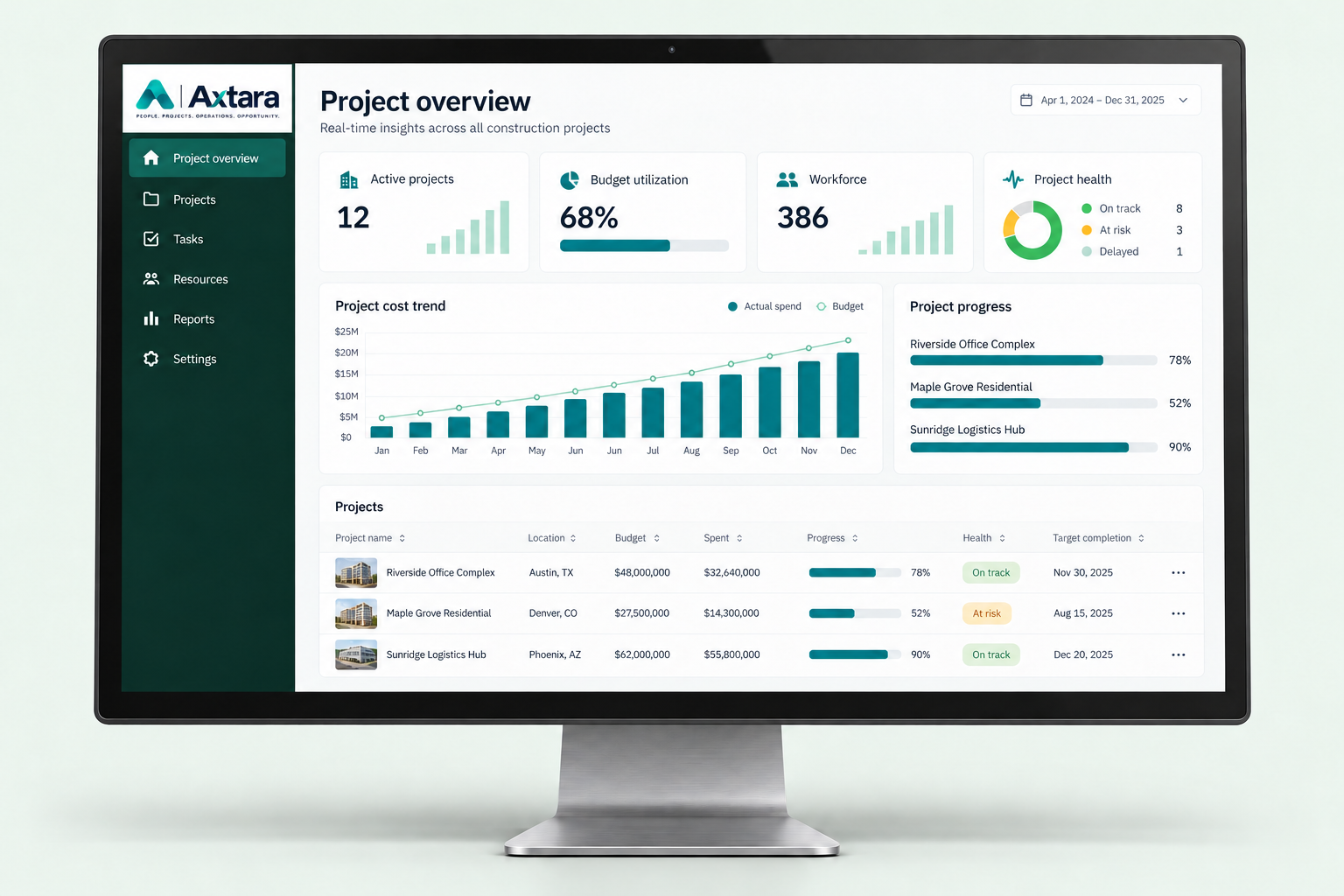
Desktop monitor displaying an illustrative Axtara project dashboard with project progress, budget utilization and workforce metrics.
A familiar scenario

One project, moving in six directions at once

A project manager is responsible for multiple active projects.

Workers are moving between assignments.

Time is being recorded.

Expenses are being submitted.

Progress is changing.

Documents are being added.

Without a connected operating system, understanding project health means collecting information from multiple people and systems.

How Axtara connects the project

Everything relevant to the project, in one record

01 / Capture the work

Workforce

People, crews & assignments

Field activity

Daily updates from the site

Time

Hours against the right cost code

Expenses

Receipts, costs & approvals

Documents

Drawings, evidence & revisions

Compliance

Certifications & safety records

02 / Connect the record

AxtaraConnected
One shared source of truth

The project record.

Every update has a place.
Every team sees the same picture.

Project context
Sites, budgets & cost codes
Verified activity
People, time & field evidence
Cost context
Approved labor & expenses

03 / See what matters

A clearer view.
A better next decision.

  • Progress

    How the work is moving

  • Labor activity

    Who is working, and where

  • Cost context

    What approved activity costs

  • Exceptions

    What needs attention

  • Operational status

    Where the project stands

What leaders can see

The project view, not a status meeting

Workspace OverviewPM
PROJECT OPERATIONS

Your projects. One clear picture.

Progress, people and costs from the same operational record.

Active projects3
Assigned workforce82
Budget utilized71%
Open exceptions2

Approved labor activity

Hours by day
Mon
Tue
Wed
Thu
Fri

Field activity connected

Reviewed time and daily updates feed into project progress and cost context.

Supervisor-reviewed activity
Project health
ProjectProgressWorkforceStatus
Third Mainland Bridge Retrofit
64%
28 workersOn track
Kingston Harbour Sea Wall
41%
18 workersNeeds review
Warri Terminal Expansion
78%
36 workersOn track
From field activity to project visibility

Reviewed activity, not raw data

  1. Step 01
    In the field

    Worker activity occurs

    Time, progress or an expense is recorded where the work happens.

  2. Step 02
    Captured once

    Axtara captures the record

    The activity becomes part of the operational record, with its project and cost code.

  3. Step 03
    In context

    It is connected to the project

    The record joins the same project picture as everything else happening on site.

  4. Step 04
    Reviewed & approved

    Supervisor or manager reviews it

    Relevant activity and exceptions are reviewed before they count as approved.

  5. Step 05
    Ready for decisions

    Project leadership gains visibility

    Approved activity is reflected in the project view leadership relies on.

Business result

What changes for the project leader

A clearer project picture
Earlier visibility into exceptions
Less manual information gathering
Better coordination between field and office
More informed project decisions

See your projects through one operational picture.

Connect field activity, people and costs to the project decisions you make every day.